 LOGSORTIE
D-Log vs D-Log 2 on the Osmo Pocket 4P: how to tell them apart
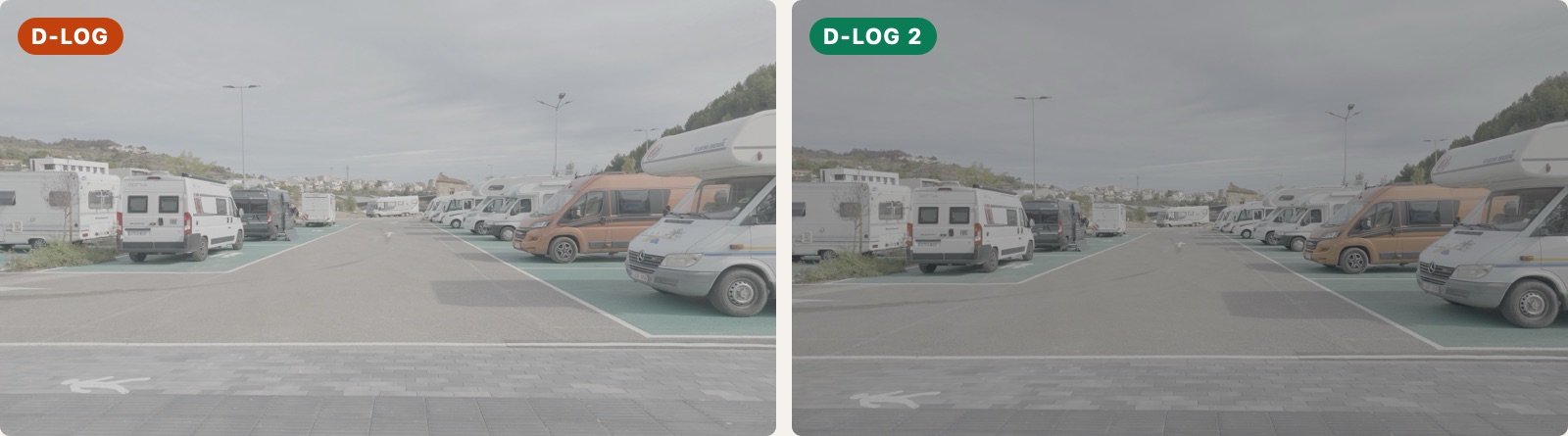
On the Osmo Pocket 4P, D-Log and D-Log 2 both come out flat and grey. Side by side, D-Log 2 looks darker, but with a single clip it's hard to tell which one it is. Each needs its own LUT or conversion to Rec.709, and if you swap them the result is clearly wrong. It happens more than you'd think: in one of my shoots, a few clips turned out to be D-Log 2 and I hadn't even noticed.
Does the Osmo Pocket 4 have D-Log 2?
No. Both the Pocket 4 and the Pocket 4P record D-Log, but D-Log 2 is only on the 4P. If you only shoot with a Pocket 4, all your Log clips are D-Log.
Can you tell D-Log 2 apart by looking at it?
Side by side, yes. With the same light and ISO 100, my D-Log 2 clip came out clearly darker than the D-Log one. On its own, not reliably: both look flat and grey, and the filename is the same kind of DJI_..._D.MP4 for both. And it's easy to switch profile during a shoot and forget. It happened to me: a few D-Log 2 clips ended up mixed in with the rest of a shoot.
Do D-Log and D-Log 2 need different LUTs?
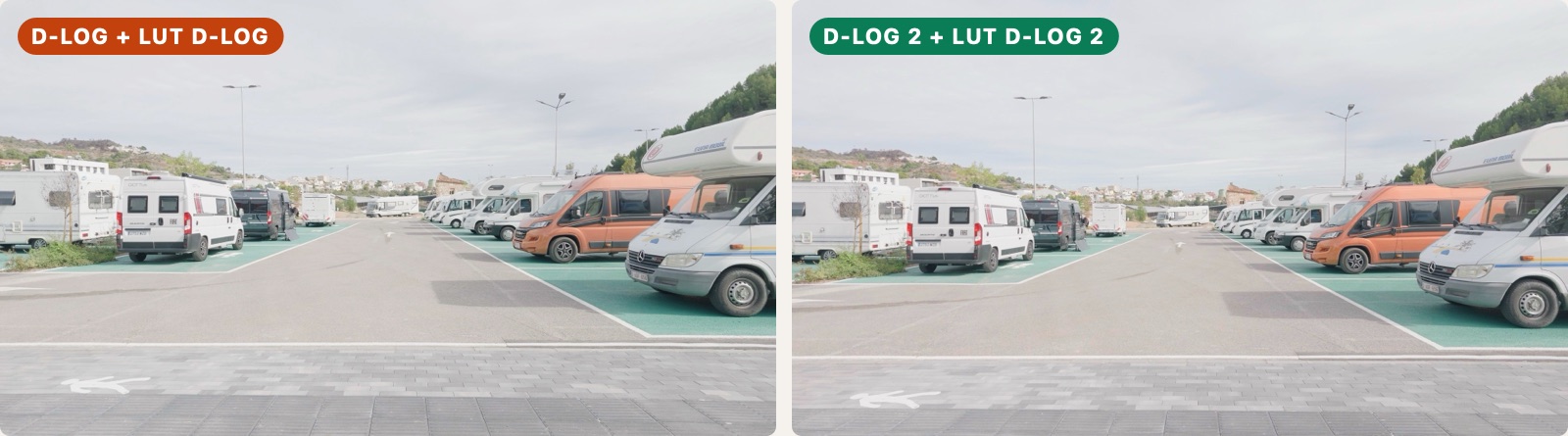
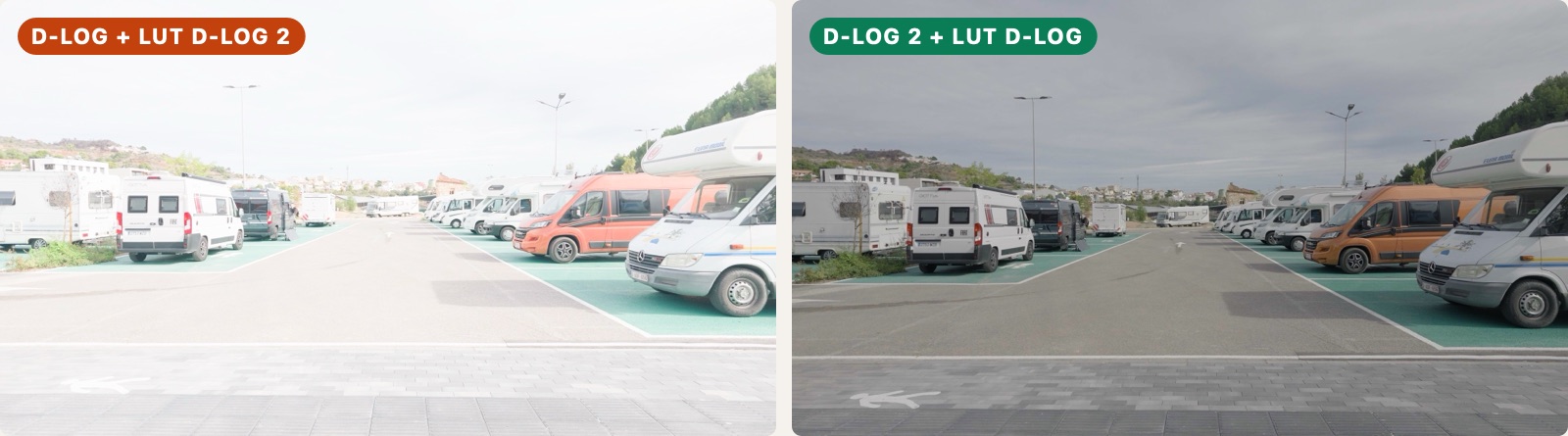
Yes. A Log profile is a recipe for how the camera stores light. To turn it into a normal Rec.709 image, you apply the LUT or conversion made for that recipe. Apply the D-Log conversion to a D-Log 2 clip, or the other way round, and the image comes out wrong.
In my test it wasn't subtle. I shot the same scene twice, once in each profile, and used DJI's official LUTs. With the right LUT, both clips end up almost the same. With the LUTs swapped, the D-Log 2 LUT burns out the sky of the D-Log clip and turns an orange van red, and the D-Log LUT leaves the D-Log 2 clip dark and dull.
How to keep them apart
- When you shoot, stick to one profile per session if you can, and make a note if you change it.
- Before editing, put D-Log and D-Log 2 clips in separate folders.
- When grading, give each group its own conversion and then match them.
The camera already knows
The Pocket 4P writes the profile into every clip it records. You don't see it in Finder or in the filename, but it's there, which is how a clip can be sorted reliably instead of by guessing.
LogSortie reads this from each clip and puts D-Log and D-Log 2 footage in separate folders, on the Pocket 4P and Pocket 4. More about LogSortie